Photo Quote Maker: Put a Quote or Wish on Your Photo
Add your photo, pick a mood, choose a design and download. Free, no sign-up, and your photo never leaves your phone.
1. Add your photo
No photo? Use a background:
2. Pick a mood
3. Your words
4. Choose a design
5. Colour and font
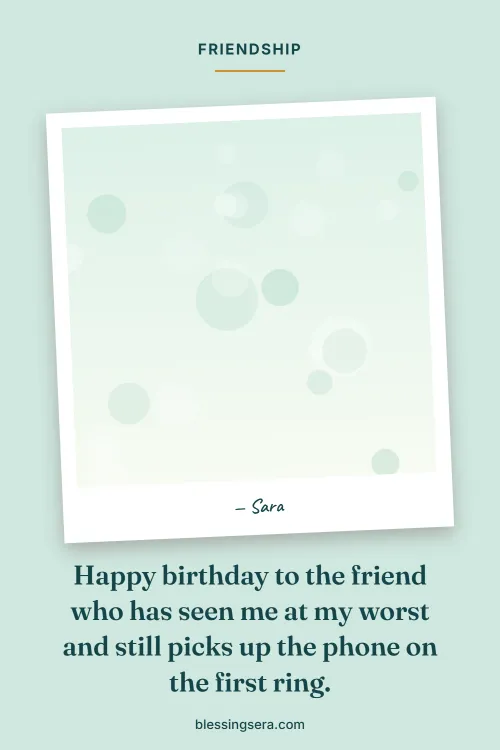
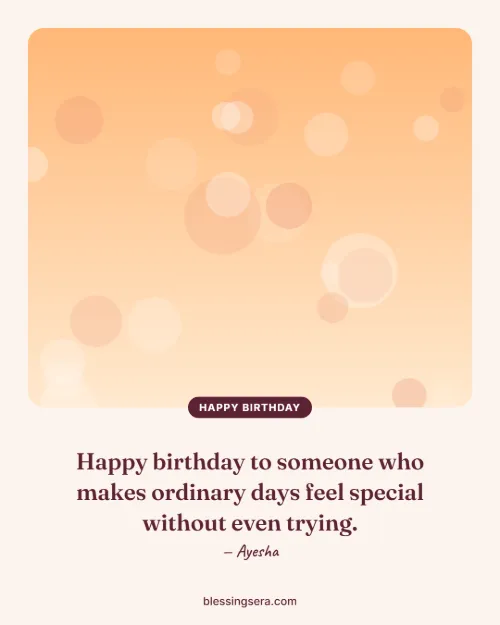
Examples made with this tool
Real images made in seconds with the Photo Quote Maker. Tap "Use this design" to start from the same layout and mood.




How to put a quote on a photo
Add a photo
Tap "Choose a photo" and pick one from your gallery, or use one of our soft backgrounds.
Pick a mood and quote
Choose love, friends, mom, dad, Jumma and more, then tap a quote or write your own.
Choose a design and save
Pick a layout and colour, then press Download or Share it straight to WhatsApp.
Most quote apps ask you to sign up, add a big watermark or charge a weekly fee. This photo quote maker is different: everything happens on your own device, the wishes come from our hand-written collection, and the finished picture is yours to keep and share.
The right size for WhatsApp, Instagram, Facebook and Pinterest
| Design | Size | Best for |
|---|---|---|
| Photo + panel | 9:16 · 1080×1920 | WhatsApp status, Instagram and Facebook stories |
| Photo + colour band, Text on photo | 1:1 · 1080×1080 | Instagram posts, WhatsApp chats, Facebook |
| Framed portrait | 4:5 · 1080×1350 | Instagram feed (takes up more of the screen) |
| Polaroid frame | 2:3 · 1000×1500 | Pinterest pins |
| Side by side | 1200×630 | Facebook posts, blogs and link previews |
What you can make
- Jumma Mubarak images: Friday duas on a photo of your local masjid or a quiet sunrise.
- Good morning images: A short morning blessing on your own garden, tea cup or window view.
- Birthday wishes with a photo: Their favourite picture with a heartfelt wish and their name in the signature.
- Love quotes for your partner: A couple photo with a sweet good night line, sized for WhatsApp status.
- Mother's Day and Father's Day cards: An old family photo with a thank-you message they will keep.
- Eid Mubarak and Ramadan greetings: Your family's Eid photo with a dua, ready for the family group.
- Get well soon cards: A cheerful photo and a healing prayer for someone in hospital.
- Friendship quotes: A photo of you two with a line about the friend who always stays.
Tips for a photo quote that looks good
- Keep the quote short. One or two sentences read best on a phone. Long wishes look better in the story size.
- Pick a calm photo. Skies, walls, flowers and soft backgrounds leave room for words. Busy photos work better with the "Photo + colour band" design.
- Move the photo, not the face. Use the "Move photo" slider so the text never covers someone's face.
- Match the colour to the mood. Rose for love, teal for Jumma and Eid, navy for good night, warm brown for thank you.
- Add a signature. A small "— Sara" makes a shared picture feel personal, like a card.
Frequently asked questions
Is the photo quote maker really free?
Yes. It is free with no sign-up, no limit and no big watermark. Only a small blessingsera.com line sits at the bottom of each image.
Is my photo uploaded anywhere?
No. Your photo is opened and drawn inside your own browser, on your phone or computer. It is never sent to our server, so it stays private.
Which size should I use for WhatsApp status?
Choose the Story 9:16 design (1080 by 1920 pixels). It fills the whole screen in WhatsApp status, Instagram stories and Facebook stories.
What size is best for Instagram and Pinterest?
Use Square 1:1 or Instagram 4:5 for Instagram posts, Pinterest 2:3 for pins, and Wide 1200 by 630 for Facebook posts, blogs and link previews.
Can I write in Urdu, Hindi or Arabic?
Yes. Type or paste your text in any language and your phone's own font is used for letters our fonts do not have. Check the preview before you download.
Does it work on my phone?
Yes. It works in Chrome, Safari and other modern browsers on Android and iPhone. On most phones the Share button sends the image straight to WhatsApp or Instagram.